Contacts
Contacts are the people responsible for receiving and managing alarm notifications. Here, you’ll learn how to configure them to ensure efficient communication.
Importance of Contacts
Define who receives notifications.
Assign responsible parties to resolve incidents.
Allow customization of notification channels (call, email, Telegram, etc.)
Required Information
Name: Contact’s identification.
Phone Number (optional): For calls or SMS.
Email Address: For email notifications.
Telegram and Hangouts ID (optional): For messages on these platforms.
Creating Contacts
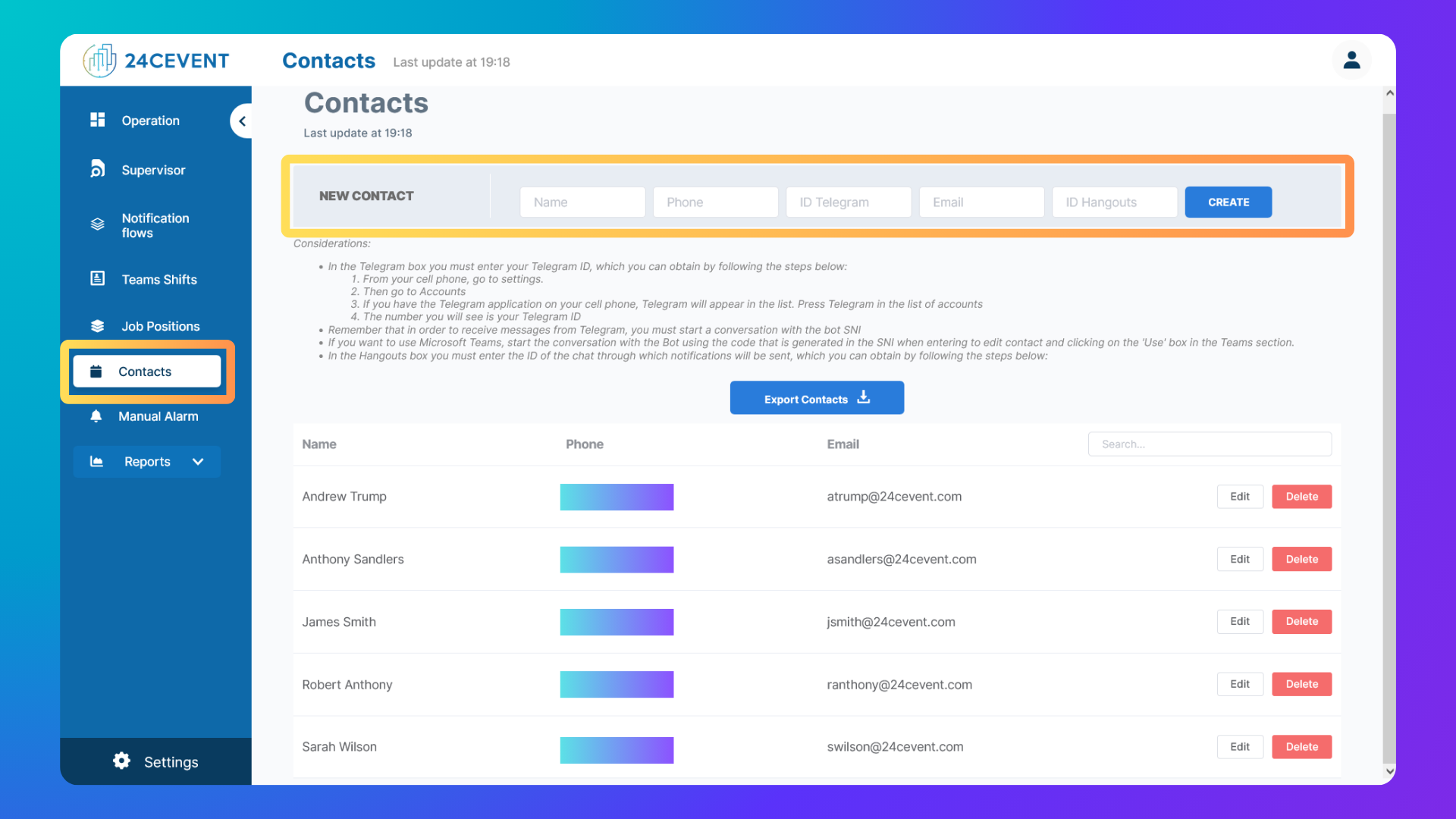
Access the Contacts section: Click "Contacts" on the left-side menu.
Fill in the fields: Name and email are required fields.
Save the contact: Click "CREATE" to save it.
Editing and Deleting Contacts
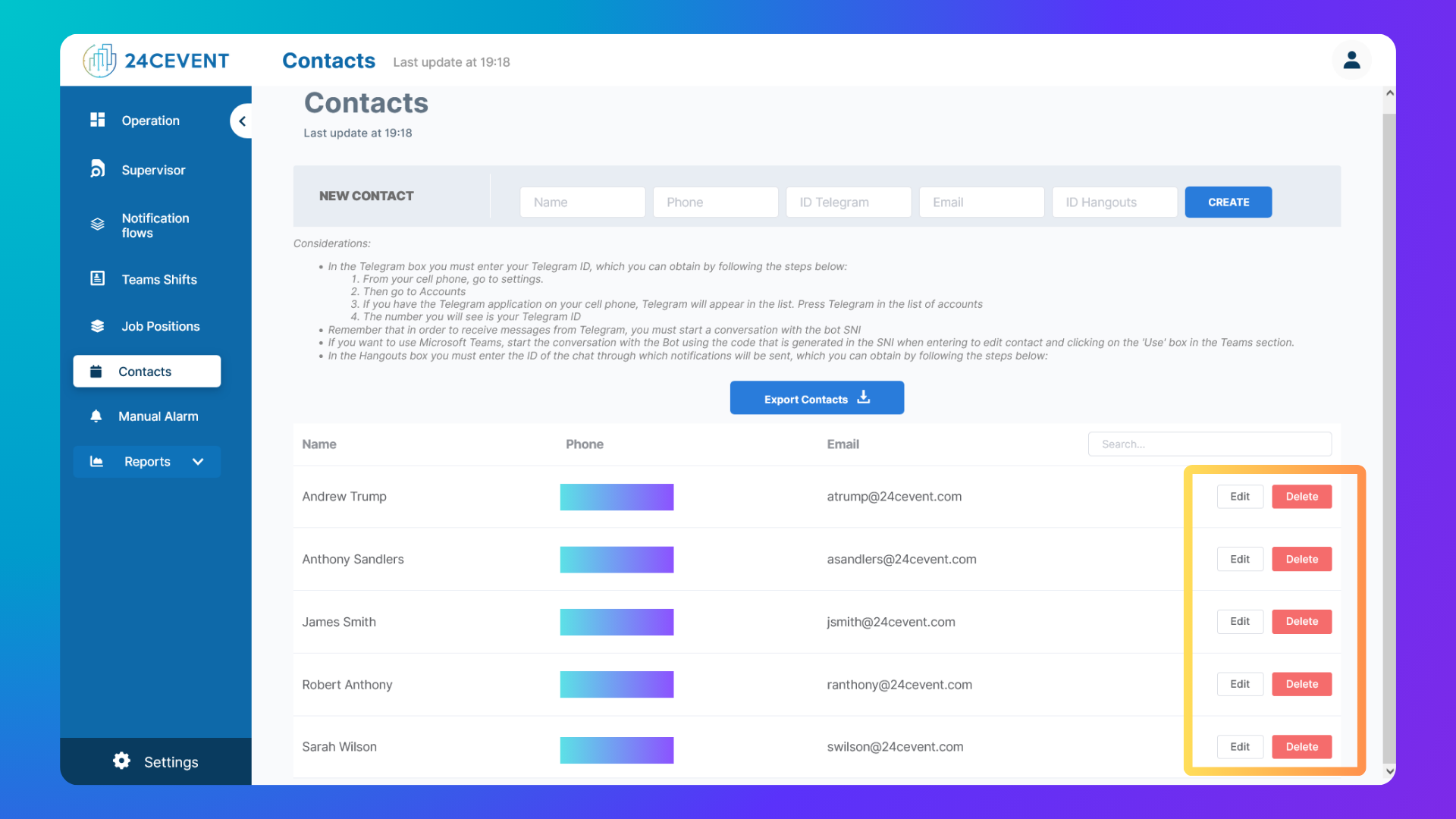
You can edit or delete contacts as needed.
Edit:
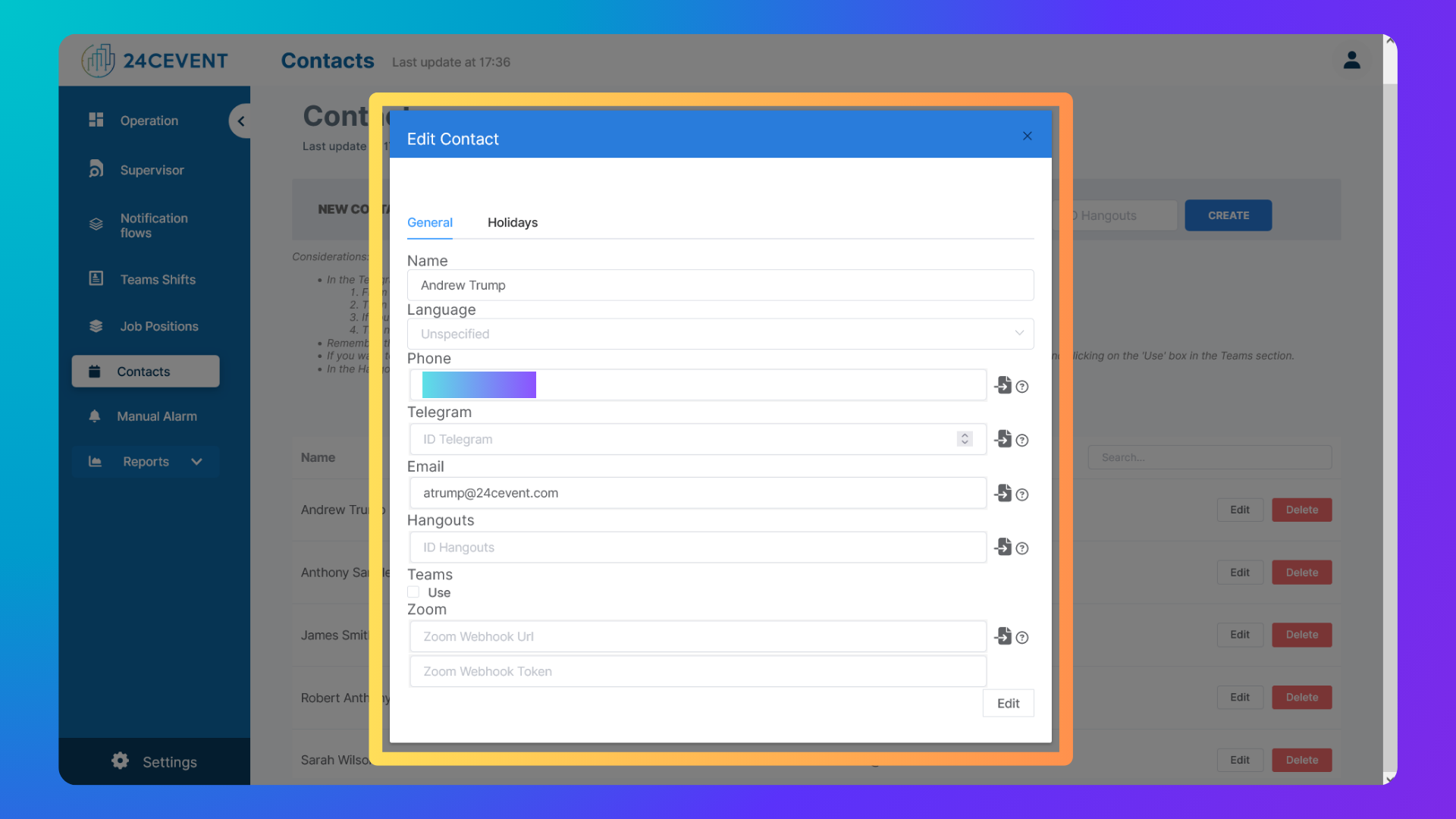
Click the "Edit" icon (a pencil) next to the contact.
Modify the fields in the form.
Click "SAVE" to apply changes.
Note: Next to the phone number, click the paper icon to validate it. An operator will place the call, and if the person answers, the number will be marked as validated with a green check icon.
Delete:
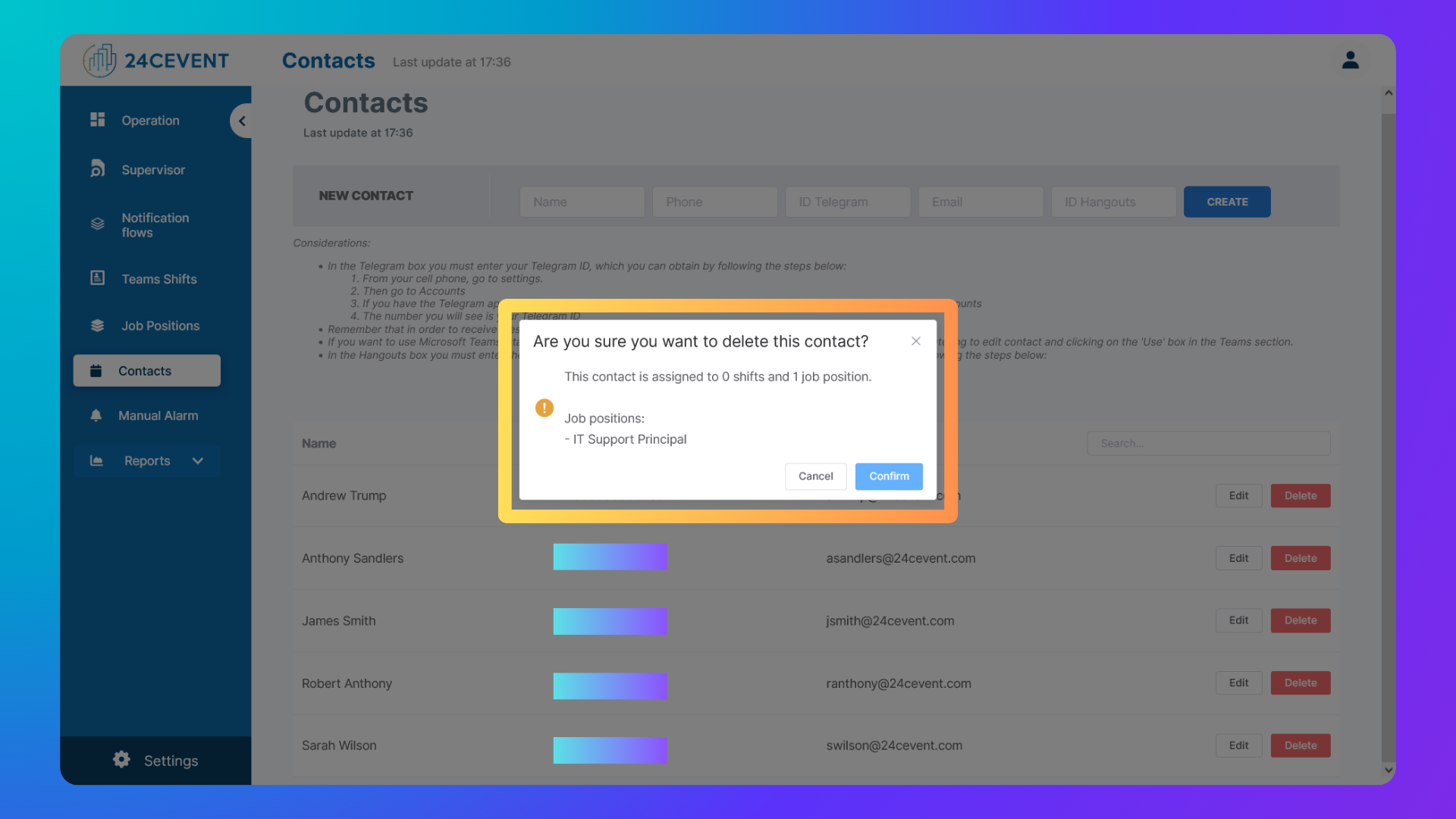
Click the "Delete" icon (an "X") next to the contact.
Confirm the action in the popup window or click "Cancel"
Note: Next to the phone number, click the paper icon to validate it. An operator will place the call, and if the person answers, the number will be marked as validated with a green check icon.
Was this helpful?
Still need help? Ask the team