Job Positions
Job Positions represent work roles in 24Cevent for managing teams; here you'll learn how to configure them for optimized team management.
In 24Cevent, Job Positions allow you to manage teams based on roles instead of specific contacts, providing greater flexibility and easier administration when personnel changes occur.
Importance of Job Positions
Dynamic teams: Replace contacts without reconfiguring the team.
Operational continuity: Personnel changes do not affect notifications or alerts.
Clear organizational structure: Represent the hierarchy and assign responsibilities easily.
Creating Job Positions
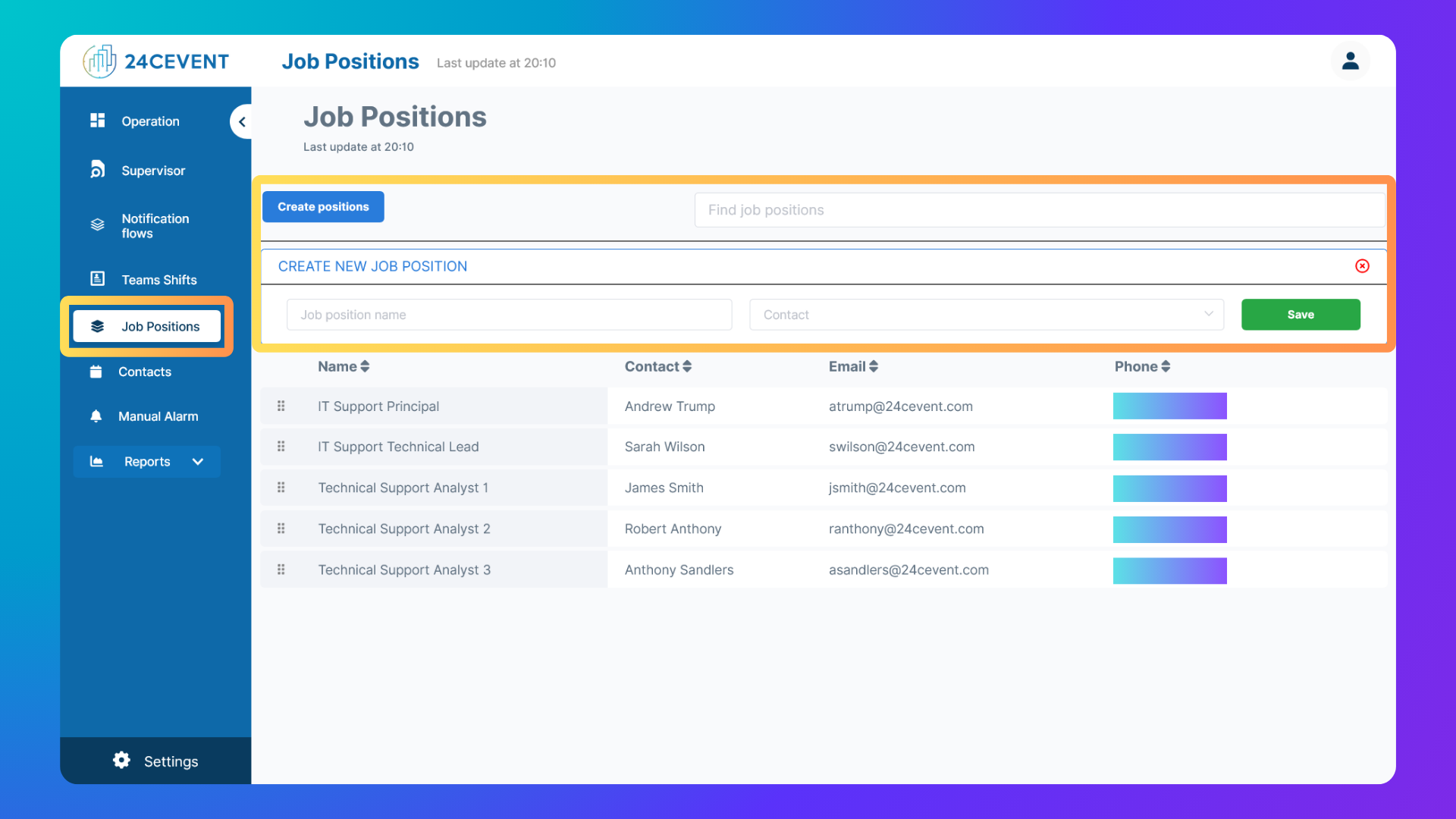
Access the Work Positions section: Click "Job Positions" on the left-side menu.
Click "Create positions": Find the "Create positions" button, usually at the top left of the screen.
Fill in the fields
Save the job positions: Click "SAVE" to store the new job position.
Editing and Deleting Job Positions
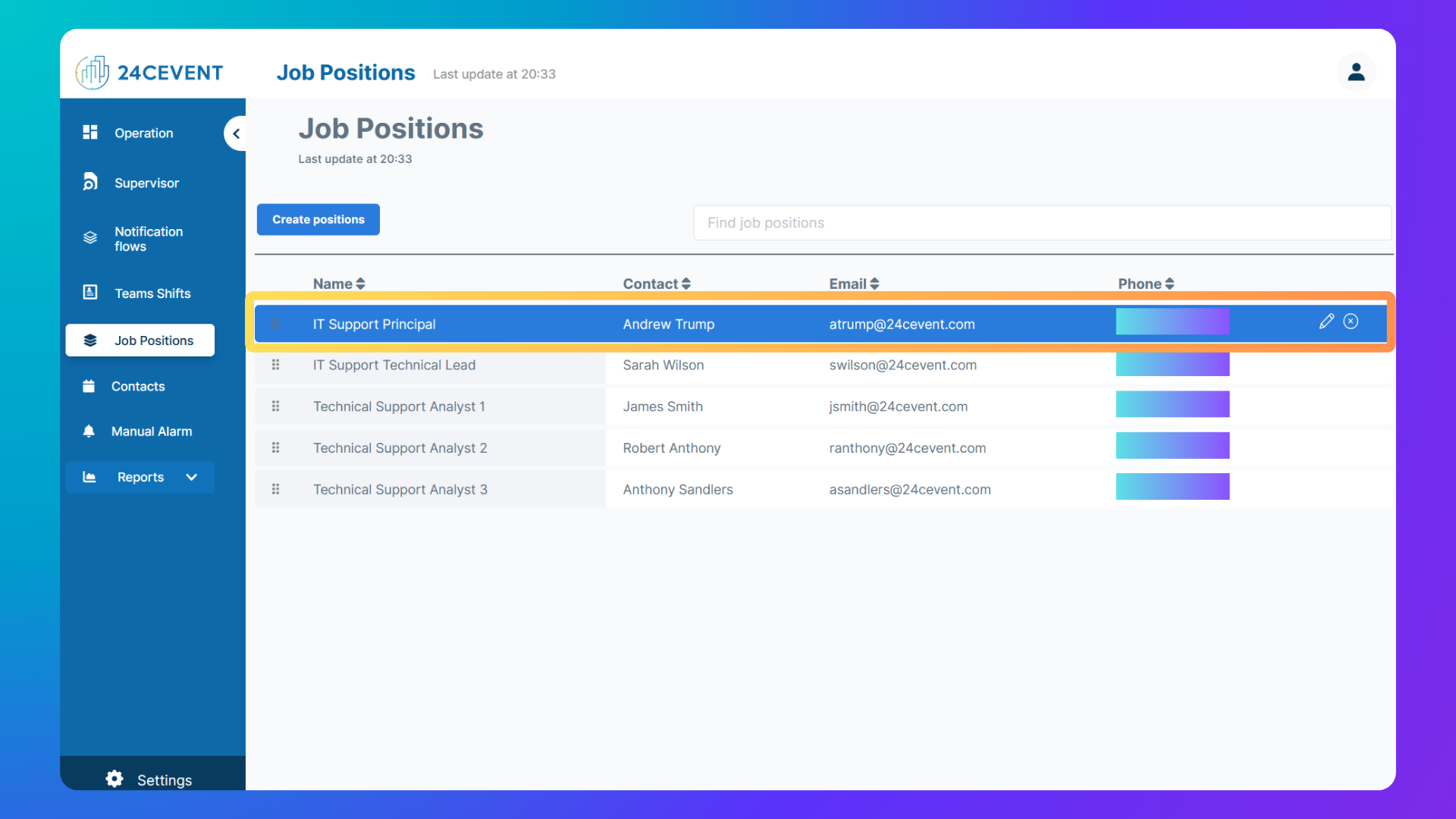
Edit:
Click the "Edit" icon (a pencil) next to the Job Position.
Modify the fields in the form (Job Position Name or assigned Contacts).
Click "SAVE" to apply changes.
Delete:
Click the "Delete" icon (an "X") next to the Job Position.
Confirm the action in the popup window or click icon (an "X").
Was this helpful?
Still need help? Ask the team